Choose a safe source
Select a readable volume, folder, or disk image. Physically failing devices should be powered down and imaged with specialist tools first.
 ReviveFilesDownload free beta
 ReviveFiles runs directly on your computer. Choose a readable source, inspect the scan results, and recover selected files to a separate destination.
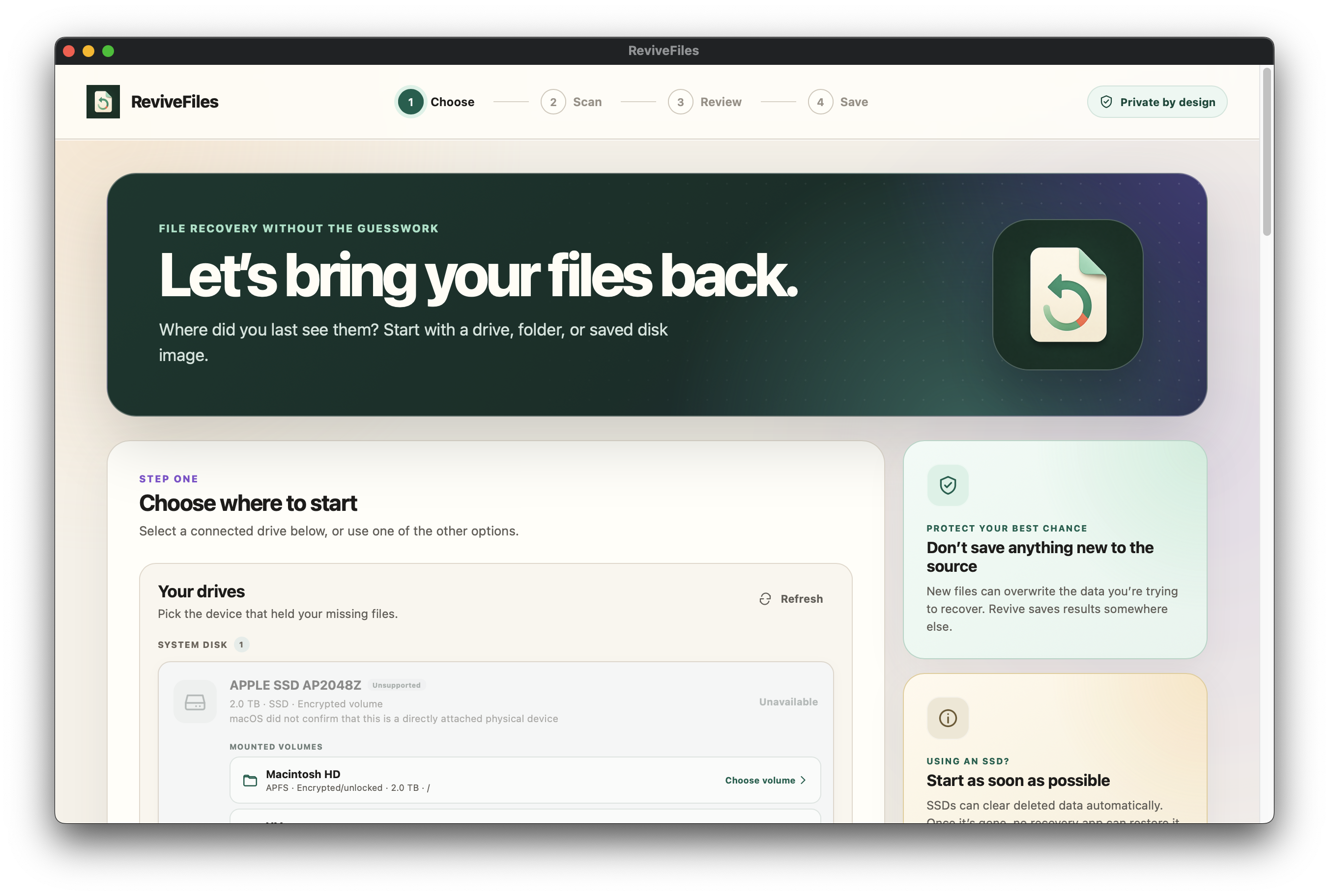
The website explains the product; it does not imitate it. Every product screen shown here was captured from the current desktop beta.
Select a readable volume, folder, or disk image. Physically failing devices should be powered down and imaged with specialist tools first.
ReviveFiles builds a local catalog on your computer. No account is required to use the current beta.
Inspect names, types, metadata, and previews. Save selected files to a different destination—not back to the source.
Filter the catalog, select files, and check a preview in the same app. ReviveFiles does not offer client accounts or shared online cases.
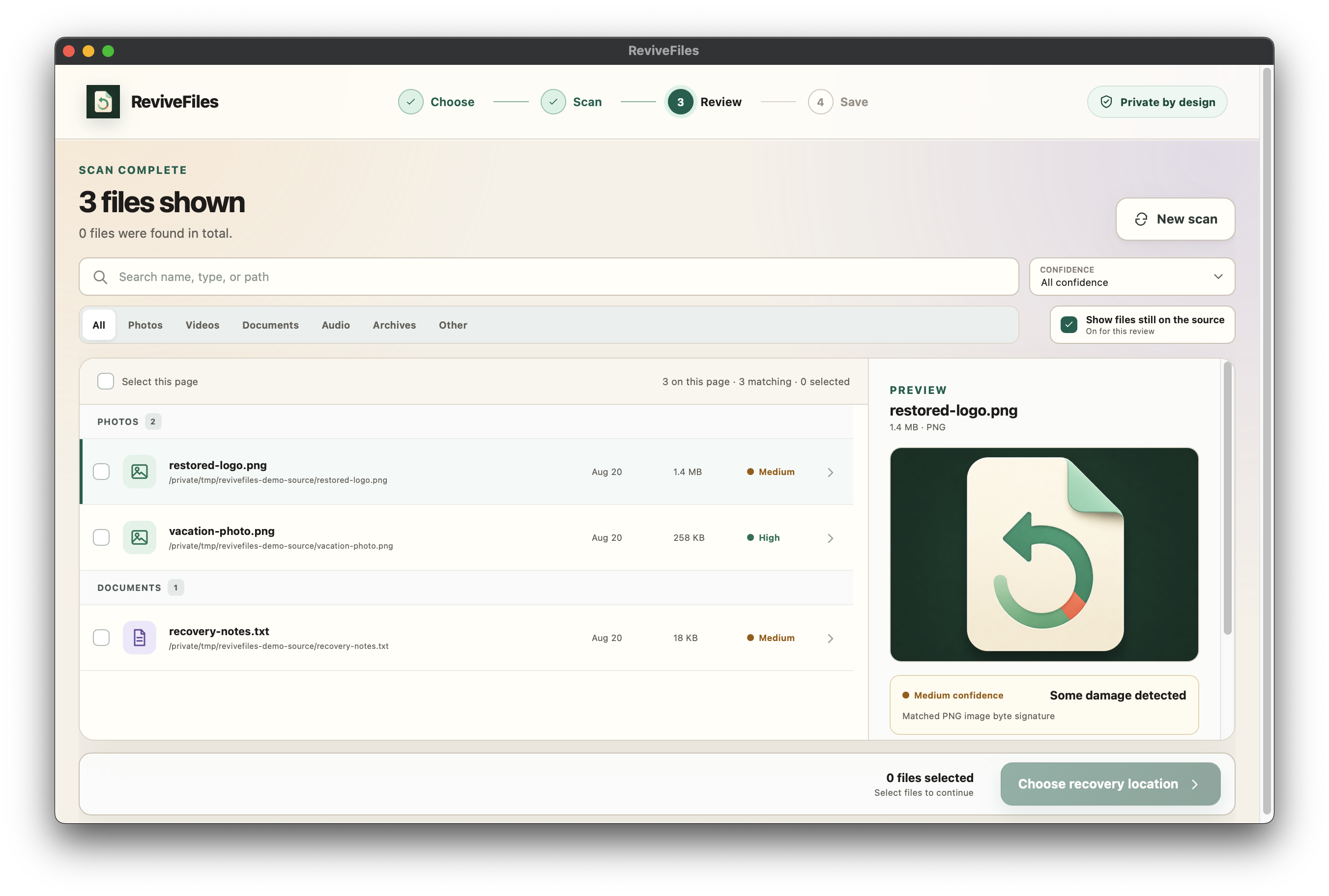
Scanning, previews, and recovery take place in the installed desktop application. No account is required for the current beta.
The beta runs locally and is not currently offered for sale.
Portable beta archive. Unzip it, keep the resources folder beside the app, then run ReviveFiles.exe.
SHA-256 · 12e5d08a25619864597347d621a2f2f74ea8956e07fe876e7fc0fad32fc22640Download for Windows Disk image for Apple Silicon Macs. Intel and universal builds are planned after the beta.
SHA-256 · 16ff6fff1f3b36252afdf34e8d8b5ebf7143c80feec4a5745a58456a3f36d1b5Download for Mac Free beta · Not currently offered for sale · No warranty · Verify SHA-256 checksums